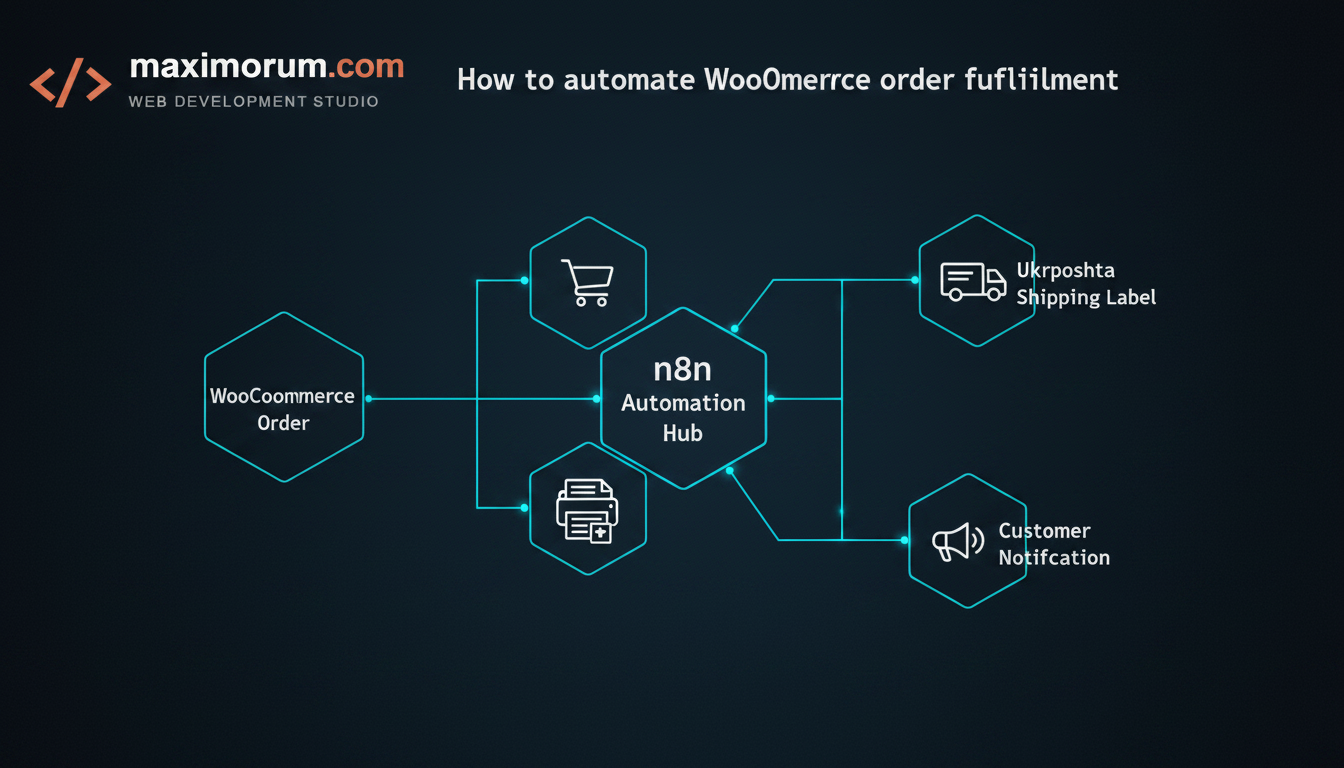
For a growing WooCommerce store, fulfillment rarely fails loudly. It fails quietly — a few minutes per order spent copying the customer's address into the Ukrposhta cabinet, generating a label, pasting the tracking number back into the order, and emailing the buyer. At 20 orders a day, that is a part-time job. At 100, it is a bottleneck that delays shipments, invites typos, and frustrates customers who expect a tracking number within the hour.
The business problem
Manual fulfillment costs you in three places at once. It consumes staff hours that scale linearly with order volume. It introduces address and weight errors that trigger returns and reshipments. And it slows the gap between "paid" and "shipped" — the single window where customers are most anxious and most likely to open a support ticket. None of this shows up as a line item, which is exactly why it goes unaddressed.
The automation
The fix is a webhook-driven pipeline built in n8n that sits between WooCommerce and Ukrposhta. WooCommerce fires an event the moment an order is paid; n8n catches it, talks to the Ukrposhta API, and writes the result back to the order. The store owner sees a tracking number appear on the order without a single manual step. Because n8n is self-hostable, the workflow and your customer data stay on your own infrastructure — a requirement for many Ukrainian businesses handling personal addresses.
How the pipeline works
- Trigger: A WooCommerce webhook (
order.updated, filtered to status processing) sends the order payload to an n8n webhook node the moment payment is confirmed. - Validate: An n8n Function node checks that the address, recipient phone, and parcel weight are present. Incomplete orders are routed to a Slack or Telegram alert instead of failing silently.
- Create the shipment: An HTTP Request node calls the Ukrposhta API to register the parcel and request a label, passing recipient data, declared value, and weight.
- Write back: n8n returns the tracking number to WooCommerce via the REST API, adds it as order meta, and moves the order to completed.
- Notify: A final node emails or SMS-messages the customer the tracking link — branded, in their language, within seconds of payment.
A concrete example
Consider a store shipping 80 orders a day. Before automation, two staff members spent roughly four minutes per order on label creation and notification — about five hours of combined work daily. After we connected WooCommerce to Ukrposhta through n8n, that dropped to near zero, with exceptions (missing weight, invalid address) surfaced instantly to a Telegram channel for a human to resolve. The same pattern extends cleanly to Nova Poshta, to LiqPay or Monobank payment reconciliation, and to inventory sync across OpenCart or a custom Laravel backend.
Why it holds up in production
A reliable pipeline is more than a happy-path demo. We add retry logic for API timeouts, idempotency keys so a re-fired webhook never creates a duplicate parcel, and structured error alerts so the team knows about a problem before the customer does. That is the difference between a workflow that looks impressive in a screenshot and one that runs unattended for months.
Build it with MaxiMoruM
We have spent 20+ years building and integrating e-commerce systems on WordPress, WooCommerce, OpenCart, and Laravel, with native connections to Ukrainian payment and delivery services. If manual fulfillment is capping how many orders your team can handle, we will map your workflow, build the n8n pipeline, and hand you infrastructure that scales without adding headcount. Start the conversation at maximorum.com.