The problem: manual reporting costs your team hours every week
For most e-commerce operators, sales reporting is a weekly ritual that nobody enjoys. Someone exports a CSV from OpenCart or WooCommerce, pastes it into a spreadsheet, adjusts formulas, and sends a summary to management — only to repeat the same sequence next week. When order volume grows, the process scales in the worst possible way: more exports, more copy-pasting, more room for error.
The business cost is real. A three-person operations team spending 90 minutes on weekly reporting loses over 75 working hours per year to a task that should run itself.
The solution: a live Google Sheets dashboard powered by n8n
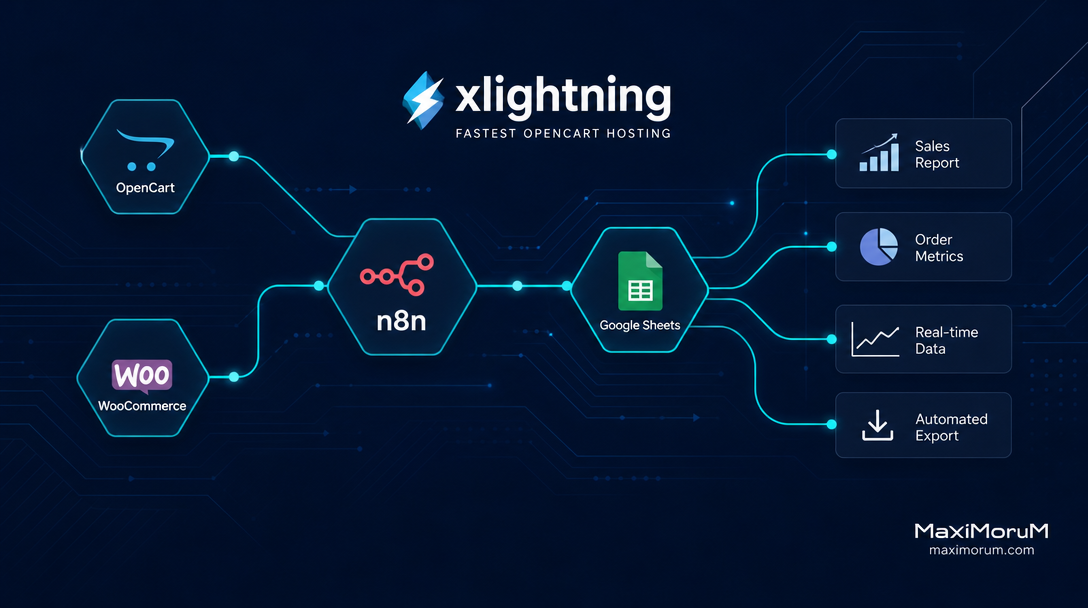
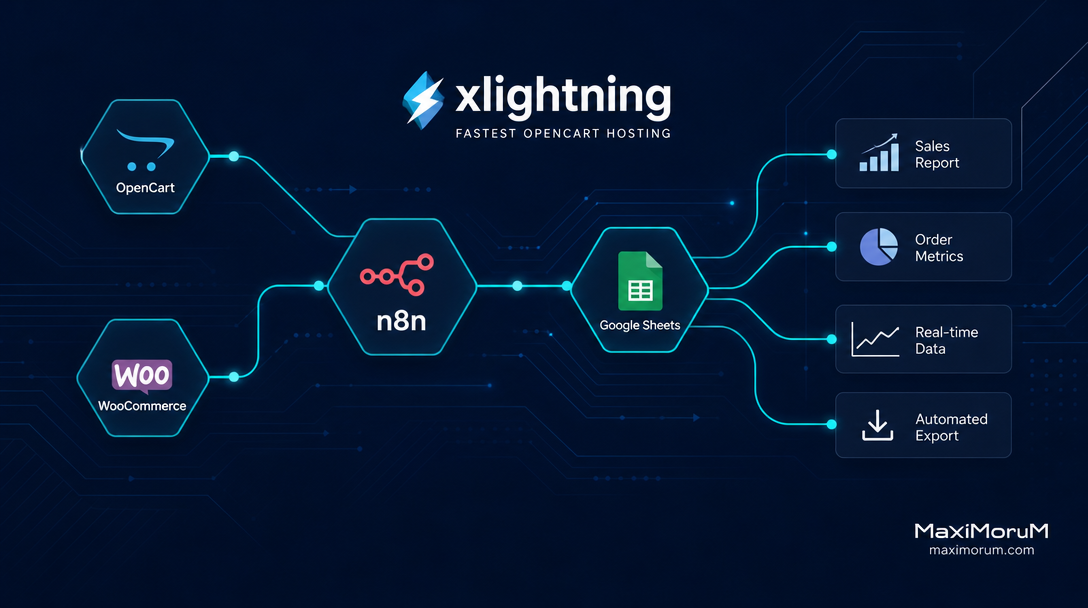
n8n is an open-source workflow automation platform that connects your e-commerce platform to Google Sheets without custom code. Once configured, every new order triggers a workflow that appends a row to your master sheet — in real time. Management gets a live dashboard; your team reclaims their time for work that actually moves the business forward.
The architecture is straightforward:
- A webhook in OpenCart or WooCommerce fires on every confirmed order
- n8n receives the payload and extracts the relevant fields: order ID, customer, product, total, payment method, delivery service
- n8n writes the data directly to a designated Google Sheets tab
- An optional second branch sends a Telegram or email summary to your operations lead
How to set it up: step by step
1. Configure the webhook. In OpenCart, use a webhook plugin or a Laravel-based custom event listener that POSTs order data to your n8n instance URL. In WooCommerce, the built-in webhook manager handles this natively under Settings → Advanced → Webhooks.
2. Build the n8n workflow. Create a Webhook node as the trigger. Add a Function node to map order fields to your spreadsheet columns. Connect a Google Sheets node with the Append Row operation and authenticate via OAuth2.
3. Design your Google Sheets template. Define columns once: Date, Order ID, Customer, SKU, Quantity, Total (UAH), Payment Method, Delivery Service, Status. n8n populates every row automatically from that point forward.
4. Add error handling. Route failed webhook events to an Error node that sends a Telegram alert to your dev channel. This keeps the pipeline observable without manual monitoring.
5. Test with a live order. Place a test order, confirm the row appears in Google Sheets within seconds, and validate that all fields map correctly before rolling out to production.
What you gain
Once deployed, this workflow eliminates manual reporting entirely for standard order tracking. Your Google Sheets file becomes a live source of truth — filterable, shareable, and ready for pivot tables or Google Looker Studio visualizations without any additional data work.
For higher-volume stores, the same pattern extends to inventory restock alerts, abandoned cart summaries, and daily revenue snapshots — all triggered automatically, all delivered to the right stakeholders without human intervention.
Where MaxiMoruM fits in
We deploy and maintain n8n automation workflows for e-commerce businesses running on OpenCart, WooCommerce, and custom Laravel platforms. Our integrations cover Ukrainian payment providers (LiqPay, Monobank, WayForPay), Nova Poshta and Ukrposhta delivery APIs, and business intelligence targets including Google Sheets, Slack, and Telegram.
If your team still exports CSVs manually, that is a process we can automate — typically within a single sprint.