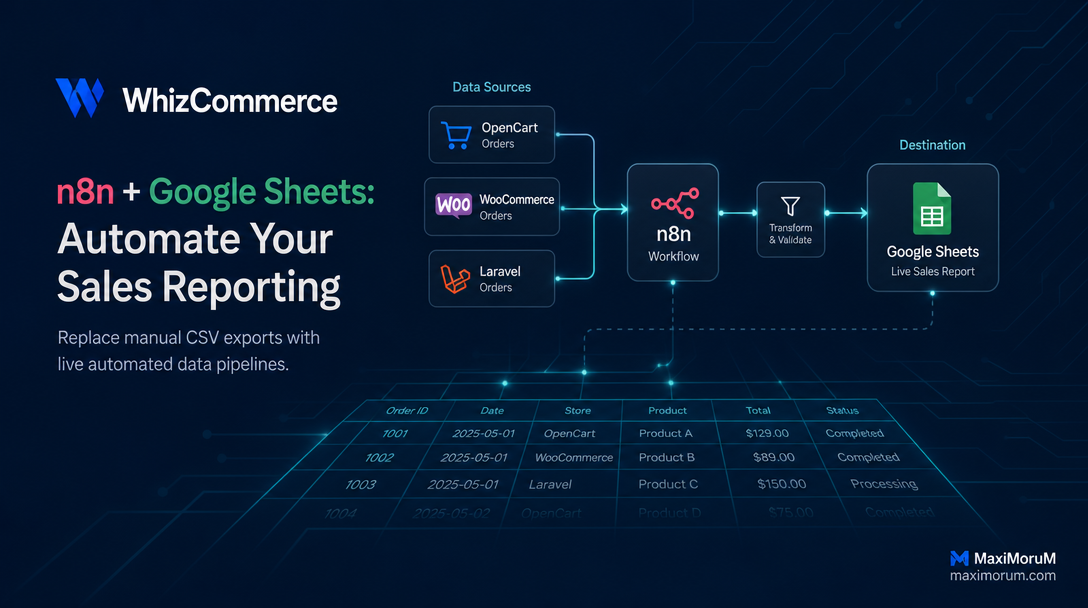
n8n + Google Sheets: How to Automate Your Sales Reporting
Every morning, someone on your team opens three browser tabs, copies sales data from your CRM or e-commerce backend, pastes it into a spreadsheet, reformats the columns, and sends the result to the manager. Repeat tomorrow. Repeat every Friday for the weekly summary. Repeat on the first of every month for the board report.
This is not analysis — it is data transportation. It consumes skilled time, introduces copy-paste errors, and delivers stale numbers hours after the fact. Decision-makers need live data, not yesterday's manually assembled snapshot.
The Automated Solution
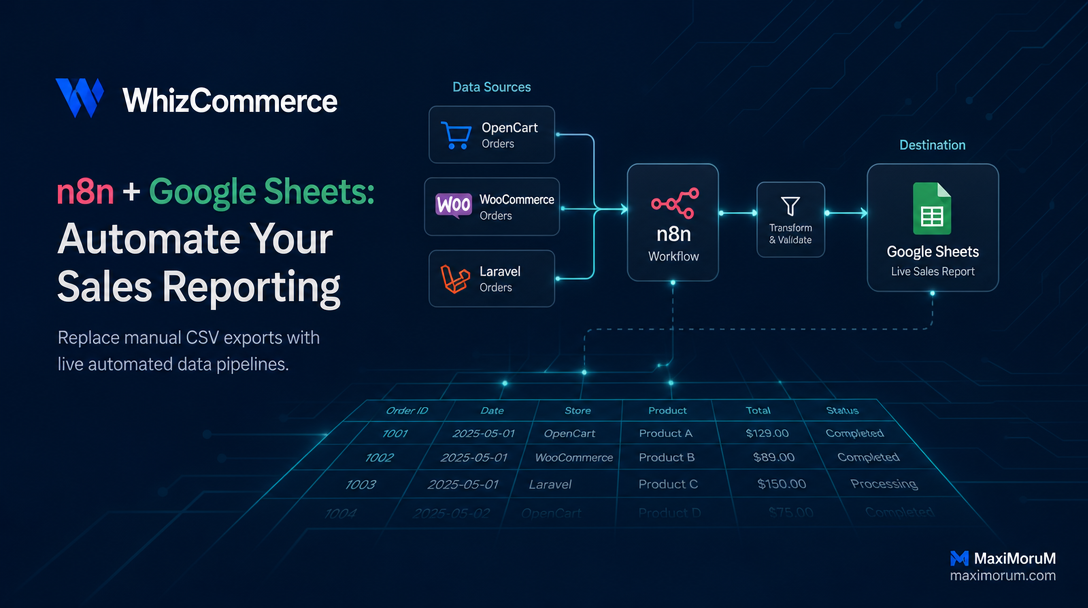
n8n is a self-hosted workflow automation platform that connects your data sources — WooCommerce, OpenCart, a custom Laravel API, or a PostgreSQL database — directly to Google Sheets, triggered on any schedule you define.
The result: a Google Sheet that updates itself every hour, every morning at 08:00, or the moment a new order lands in your system. No exports, no manual formatting, no email chains.
How It Works — Step by Step
Here is a practical workflow we configure for e-commerce clients on OpenCart and WooCommerce:
- Trigger node — a Cron node fires on your chosen schedule (hourly, daily, weekly). Alternatively, use a Webhook trigger to react to new order events in real time.
- HTTP Request or database node — n8n calls your store's REST API (OpenCart API, WooCommerce REST API, or a custom Laravel endpoint) and retrieves orders from the defined time window.
- Set / Function node — the raw JSON response is mapped to clean columns: order ID, date, product SKU, quantity, revenue, payment status, delivery method. A Function node applies business logic — exchange rate conversion, VAT extraction, profit margin calculation.
- Google Sheets node — n8n appends the formatted rows to a designated sheet. Duplicate prevention is handled by checking the order ID before writing. The node also updates existing rows when an order status changes (e.g. "pending" → "paid").
- Telegram or email notification node (optional) — once the sheet is updated, n8n sends a summary to a manager's Telegram: "Report updated: 47 new orders, ₴182,400 revenue."
A complete workflow takes two to four hours to configure and test. Once live, it runs without intervention and delivers data accuracy that manual export cannot match.
Real Operational Impact
A mid-size Ukrainian online retailer we work with was spending approximately 45 minutes per day on manual report assembly across two team members. After deploying this n8n + Google Sheets workflow:
- Report preparation time dropped to zero.
- Sales data in Google Sheets is never more than 60 minutes old.
- The operations manager receives a daily Telegram summary at 09:00 automatically.
- Month-end board reports now compile in seconds from clean, structured data.
The Google Sheet connects directly to Google Looker Studio dashboards, giving leadership live revenue charts with no additional engineering work.
What You Need to Get Started
- An n8n instance (self-hosted on your VPS, or n8n Cloud)
- API access to your store: OpenCart API credentials, WooCommerce REST API keys, or a custom Laravel endpoint
- A Google Cloud service account with Sheets API access
- 2–4 hours of configuration time
If your team manages more than 50 orders per day, automating sales reporting pays for itself within the first week.
Ready to stop exporting manually?
MaxiMoruM configures n8n automation workflows for OpenCart, WooCommerce, and Laravel-based stores. We set up the integration, test the data pipeline, and hand you a live Google Sheet that runs itself.